
Disclosure: This review is published by KY IPTV, which sells its own IPTV service. KY IPTV and Mom IPTV share common ownership. It is based on Mom IPTV’s website pages checked on October 12, 2026 and does not include streaming tests.
This mom iptv review finds four listed plan terms, each allowing one connection at a time. The website’s channel and VOD totals conflict, so treat them as claims rather than verified counts.
Check device compatibility, payment, and refund terms before subscribing. If you want another option to compare, KY IPTV offers a 24-hour trial.
What is Mom IPTV?
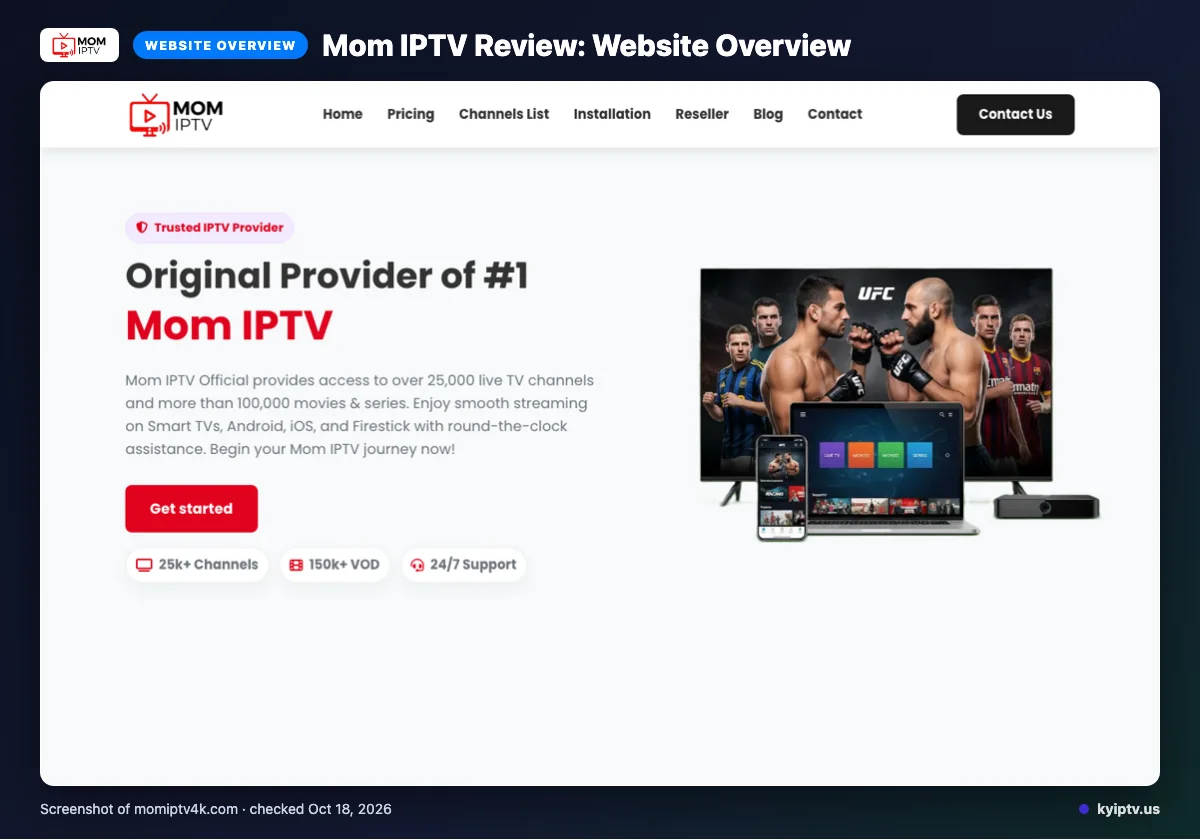
Mom IPTV describes itself as a live TV and video-on-demand service. Its website lists coverage for the USA, UK, Canada, Europe, Asia, and MENA areas.
That stated coverage may interest viewers in the regions named, but it does not establish availability elsewhere. This overview is based on the service’s published description, not a streaming test.
Quick tip: Open the official Mom IPTV site directly before deciding which plan to review, so you can read its current details firsthand.
What does Mom IPTV offer?
Mom IPTV’s website claims 25,000+ live channels and 100,000+ VOD options. It gives conflicting channel and VOD counts elsewhere, so treat these as website claims, not verified totals.
The site lists 4K, HD, Full HD, FHD, and 4K Ultra HD quality labels; no streaming test was done. Named device categories are Smart TVs, Android boxes, Firestick, MAG devices, iOS, and PC. IPTV Smarters is the only named app.
An EPG is listed, but no catch-up feature is stated. The website also advertises a worldwide CDN, anti-freeze tech, predictive content prefetch, and 99% server stability.
Before buying, match the named app and device category to your setup. The site does not name other apps.
Mom IPTV plans and prices
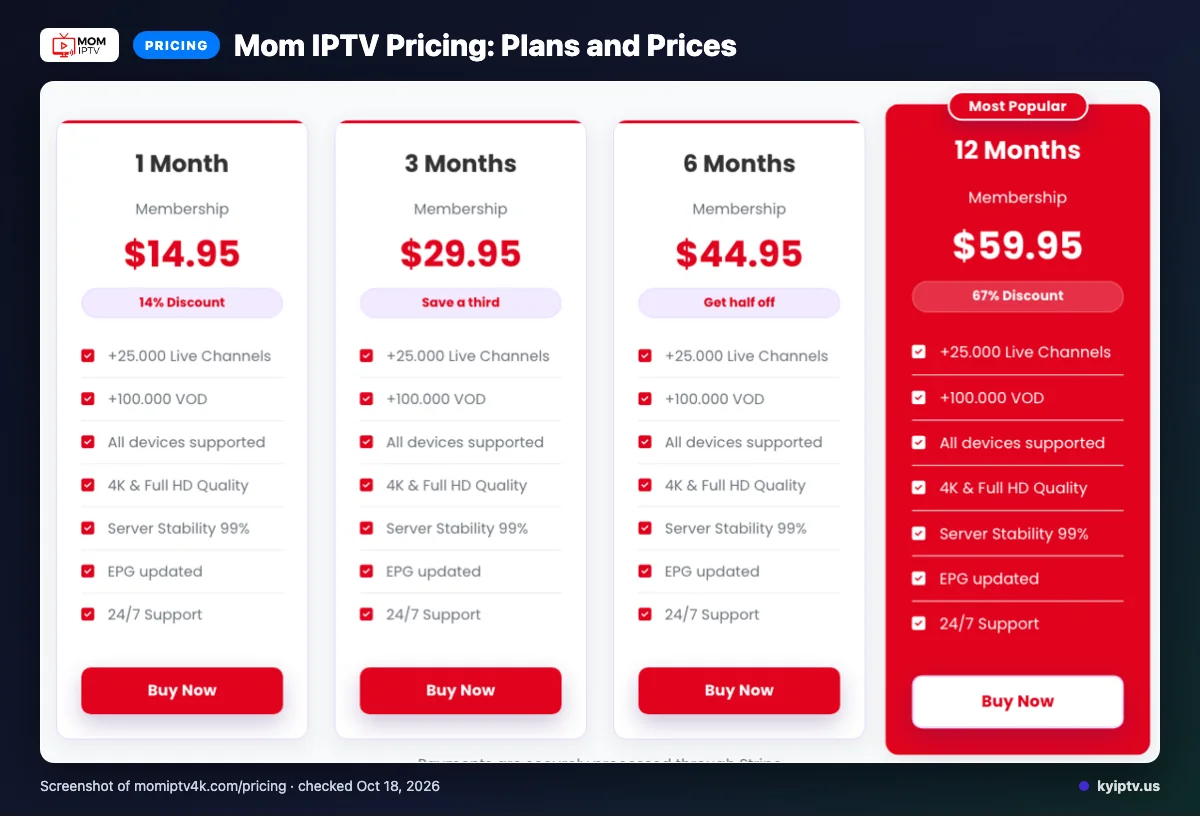
Mom IPTV lists four plan terms, each with one connection at a time. The prices use the “$” symbol, but the site does not specify a currency.
| Plan | Price | Connections |
|---|---|---|
| 1 Month | $14.95 | One connection at a time |
| 3 Months | $29.95 | One connection at a time |
| 6 Months | $44.95 | One connection at a time |
| 12 Months | $59.95 | One connection at a time |
Plan details checked on 2026-10-12.
Quick tip: Compare the displayed term and price together; do not assume a currency from the symbol alone.
Free trial, refunds and payment at Mom IPTV
We did not find a free trial on the pages checked. Mom IPTV lists card payments through Visa, MasterCard, American Express, PayPal, and Stripe.
Can you try Mom IPTV before paying?
A free trial was not listed on the pages we reviewed. Treat the purchase as a paid subscription unless the checkout page shows a trial offer.
What should you check before checkout?
Check these details on the payment page before you submit payment:
- The selected plan and total charge
- Which listed payment method you will use
- The renewal terms, since subscriptions automatically renew each billing cycle
How do Mom IPTV refunds work?
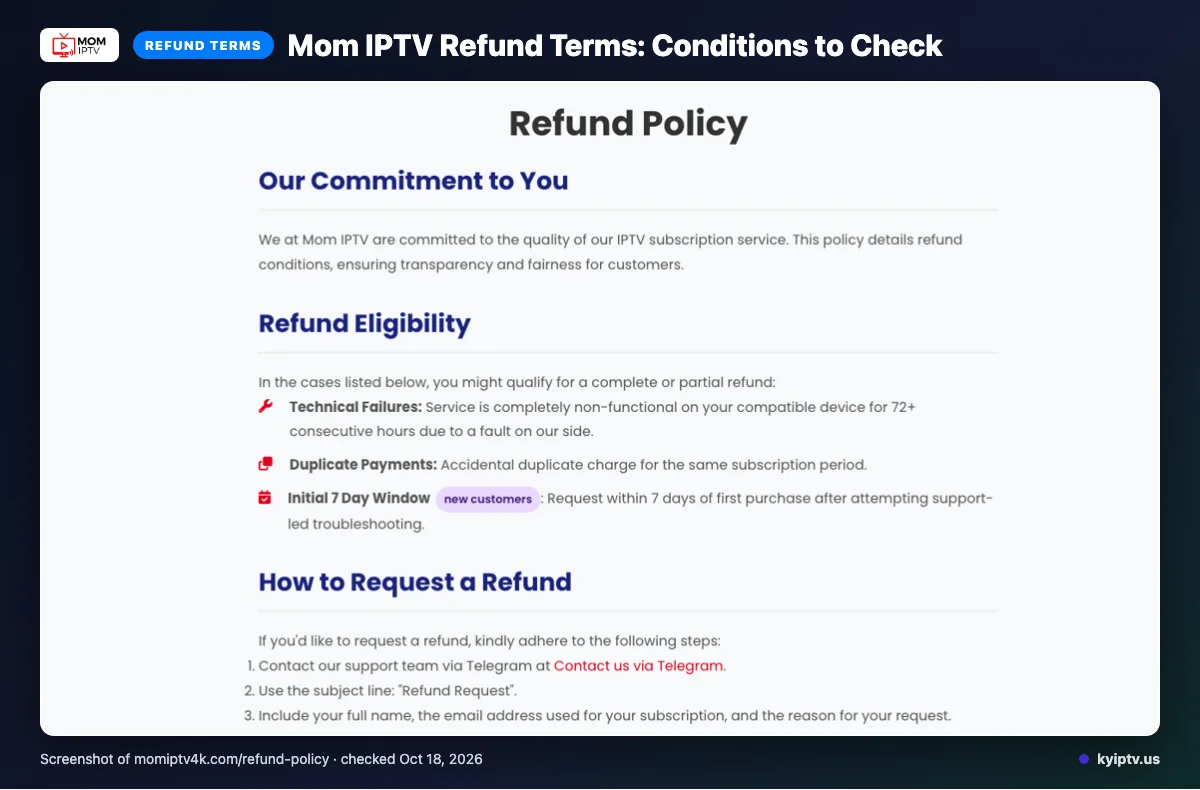
Refund eligibility is limited, and the terms above explain the stated conditions. If you need to request a refund, keep your order confirmation and contact support promptly.
What should you do after paying?
Use this short checklist to keep a clear record of the purchase:
- Save the payment confirmation and subscription details.
- Note the renewal date shown during checkout.
- Contact support if payment goes through but subscription access does not appear.
Mom IPTV lists Telegram, email, and live chat as support options. Review the checkout details before paying, especially if you want to avoid an unexpected renewal.
Mom IPTV pros and cons
Mom IPTV’s main advantages are its listed support options and clear plan choices. Its drawbacks are the one-connection limit and the need to judge performance on your own setup.
Pros
- You can compare the published plan options before choosing a subscription term.
- The site lists Telegram, email, and live chat for contacting support.
- Several payment methods are listed, including major cards and PayPal.
Cons
- Each plan allows one connection at a time, which may not suit a household watching on multiple screens simultaneously.
- Service claims on a website cannot show how playback will perform on your home network.
- Before paying, make sure the available support channels and listed payment methods fit your needs.
Is Mom IPTV legal and safe?
We cannot confirm Mom IPTV’s legality from the information reviewed for this article. A service’s name or IPTV delivery method does not establish that it has permission to distribute its content.
What should you verify before subscribing?
Check whether the provider identifies its licensing rights and explains how those rights apply where you live. The details reviewed here do not establish that authorization, so ask the provider directly before paying.
- Look for clear business and contact information.
- Read the privacy terms and understand what account or payment details you share.
- Confirm that the content you plan to watch is authorized in your location.
How can you reduce device and payment risks?
Use basic precautions before entering payment details or installing an app. A VPN can protect some network traffic, but it does not make unauthorized content legal.
- Use a unique password and avoid sharing your account credentials.
- Install apps only from sources you trust, and review requested permissions.
- Keep your device software updated and avoid files sent through unsolicited messages.
- Use a payment method that gives you a clear record of the transaction.
If you cannot verify licensing or feel unsure about the provider’s privacy practices, choose a service with clearer information. Treat playback claims as separate from proof of legal authorization or device safety.
How to sign up and set up Mom IPTV
Start by choosing a plan on Mom IPTV’s site, then follow the access instructions for your device. The exact setup depends on the player and connection details provided after checkout.
Before you start:
- The device you plan to watch on
- A stable internet connection
- A compatible player and the service’s setup instructions
- Choose the subscription term that fits your needs. Refer to the plan details reviewed above.
- Complete checkout through the official site and save the confirmation.
- Install a compatible player from a source you trust, if you do not already have one.
- Open the player and follow the supplied instructions to connect your subscription. Use the connection method shown there rather than guessing.
- Load the guide, then open a listing to confirm that the player displays the service correctly.
- If playback or sign-in fails, check your internet connection and recheck the access details for typing errors. Close and reopen the player, then try again.
Before you contact support, note the device, player, error message, and what you already tried. That gives support a clear starting point and helps avoid repeating basic checks.
Mom IPTV vs KY IPTV
Compare the plans, trial and refund terms, and devices you plan to use. Mom IPTV’s prices are covered above; KY IPTV lists a 24-hour trial and a 7-day refund policy.
| Check | Mom IPTV | KY IPTV |
|---|---|---|
| Plans | See the plan details above. | 1, 3, 6, 12, or 24 months, from $14.95 to $99.95. |
| Trial | A free trial was not found on the pages checked. | 24 hours. |
| Refund | See the refund terms above. | 7-day refund policy. |
| Named devices | Smart TVs, Android boxes, Firestick, MAG devices, iOS, and PC. | Fire TV, Android TV, Google TV, Samsung and LG Smart TVs, Apple TV, iPhone, iPad, Roku, Xbox, PlayStation, Android phones, Windows, and Mac. |
Check that your preferred device appears in the service’s list before choosing. KY IPTV also lists apps including IPTV Smarters Pro, TiviMate, iPlayTV, IBO Player Pro, and Smart IPTV.
Who should choose Mom IPTV, and who should look elsewhere?
Mom IPTV is worth considering if the terms and device information above fit your needs. Look elsewhere if you require independent playback verification or still have an unanswered deal-breaker.
Who should choose Mom IPTV?
Choose it if you can make a decision from the information the provider publishes and have checked it against your own priorities. This mom IPTV review is most useful when you already know what matters to you. Compare those requirements with the details in the sections above before committing.
Who should look elsewhere?
Look elsewhere if you need a specific feature that the provider does not clearly describe, or if you want independent evidence before choosing. Do not assume an unstated feature is included. If a requirement remains unclear after reviewing the available details, keep comparing rather than deciding on a guess.
Quick tip: Write down your deal-breakers first, then check each one against the information already covered. If even one essential requirement is unresolved, pause before subscribing.
If you want another option to compare, we invite you to try the KY IPTV 24-hour trial on the devices you already own.
Frequently Asked Questions
What to Check Before You Subscribe
Match Mom IPTV’s listed device support and IPTV Smarters app with your setup, then review the one-connection limit and automatic renewal terms. The site uses dollar signs without specifying a currency, and its published channel and VOD counts differ.
We invite you to start the free 24-hour trial with KY IPTV.